
RTL Language Support
Right-to-left languages (Arabic, Hebrew, Persian, Urdu, and others) are supported automatically. There’s no setting to turn this on, it’s detected and applied per page based on the language being viewed.
How detection works#
WP Super Docs checks four independent signals, in order, and uses whichever one gives an answer first:
- Its own WPML/Polylang language wrapper.
- WPML’s language constant directly, since WPML’s own locale hooks don’t always fire reliably for WP Super Docs’ custom URL routing.
- WordPress’s own
is_rtl()check. - The site’s raw locale string, as a last resort.
This layered approach exists specifically because the plugin’s custom /docs/ URLs are handled outside WordPress’s normal page-rendering path, which occasionally causes plugins’ usual locale-detection hooks to miss. If one path fails to detect RTL correctly, the others catch it.
What changes on an RTL page#
- The entire layout mirrors: sidebar, topbar, and content flow flip to a right-to-left reading order.
- The
<html>tag getsdir="rtl"and the correctlangattribute. - Small directional details flip too, for example the “Back to site” link’s arrow points the opposite direction.
- The Mermaid diagrams and the embeddable changelog widget (see Mermaid Diagrams in Docs and The Embeddable “What’s New” Widget) detect and mirror RTL independently as well, using their own detection since they can run outside the main page context.
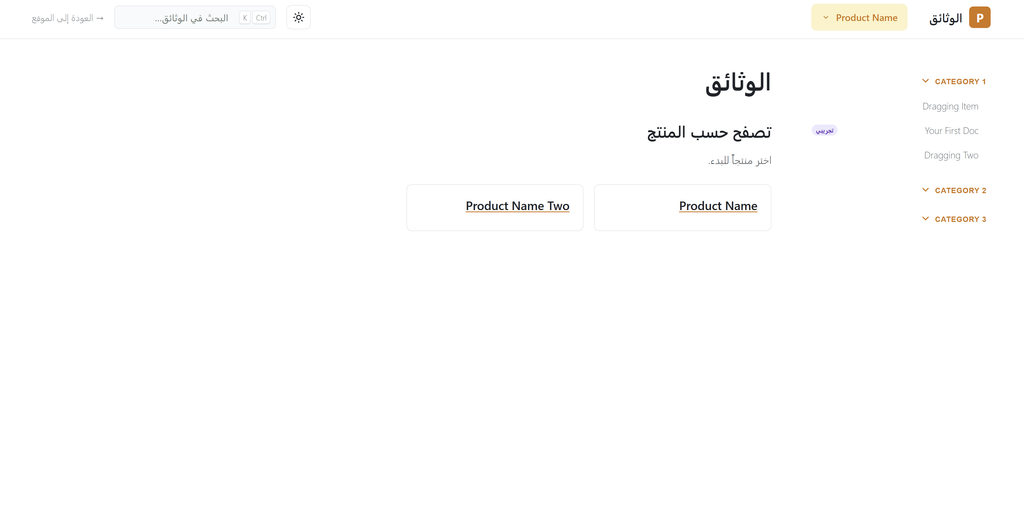
Supported RTL languages#
Detection is based on language code, matching Arabic, Hebrew, Persian (Farsi), Urdu, Kurdish, Divehi, Pashto, Sindhi, Uyghur, Hausa, and a few regional variants of these. Any language configured in WPML or Polylang using one of these codes is treated as RTL automatically, no manual flagging needed.
Was this helpful?
Thanks for your feedback!
✓ Feedback received. Thank you!