
Setting Up a Product Changelog
A product changelog is a running list of release notes for a product, shown on its own page and available as an RSS feed, separate from your regular docs content.
Turning it on#
Go to WP Super Docs → Settings → Changelog and turn on Enable /docs/{product}/changelog/ pages and REST API. This is the master switch; with it off, changelog pages 404 and the changelog REST endpoint doesn’t respond, regardless of any per-product setting below.

Per-product control#
On the same settings page, a table lists every product with:
- Its changelog URL (
/docs/{product}/changelog/), shown struck through and marked “disabled” if that product’s changelog is off. - An Enabled checkbox. Every product’s changelog is on by default once the master switch is on; use this checkbox only if you want to turn it off for a specific product.
- A + New entry shortcut button, taking you straight to a new changelog entry.
There’s also an All products combined row with its own enable checkbox and URL, covered in The Docs Updates Feed.

Writing an entry#
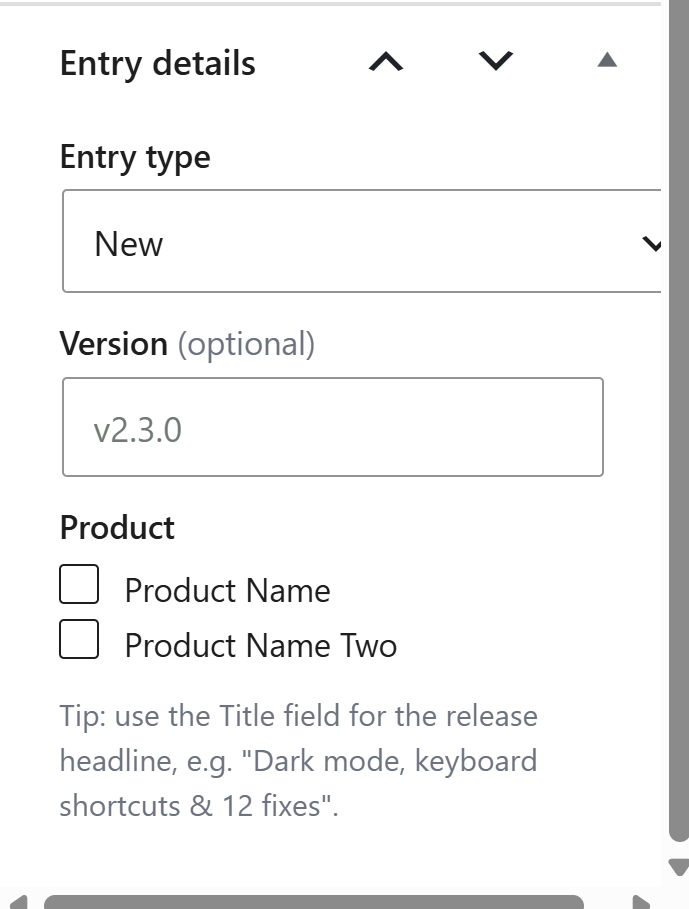
Go to WP Super Docs → Changelog → Add New Entry. Changelog entries are their own post type, separate from docs, with:
- Title: the release headline, for example “Dark mode, keyboard shortcuts & 12 fixes.”
- Content: the full write-up, using the normal block editor.
- Entry type: one of New, Improved, Fixed, Security, Breaking, or Announcement, each shown with its own color badge. See Writing Changelog Entries & Type Badges for how these appear.
- Version: optional, for example “v2.3.0.”
- Product: checkboxes, since a single entry can apply to more than one product at once if a release affects multiple products together.
Was this helpful?
Thanks for your feedback!
✓ Feedback received. Thank you!